What crypto payment links are for
Crypto payment links are a practical way to collect payment without building a full checkout flow. They work well when you need to send a branded payment page by email, chat, QR code, invoice, social post, or website button, and you want the buyer to pay from a wallet on a hosted page.
For teams that want to move quickly, links are often the simplest first step into crypto payments. They suit founders testing demand, finance teams collecting one-off payments, and operators who need a lightweight way to collect funds without engineering a custom payment flow.
If you need a broader payments setup, Radom also supports hosted crypto checkout, crypto payments, and pricing information on the pricing page.
How crypto payment links work
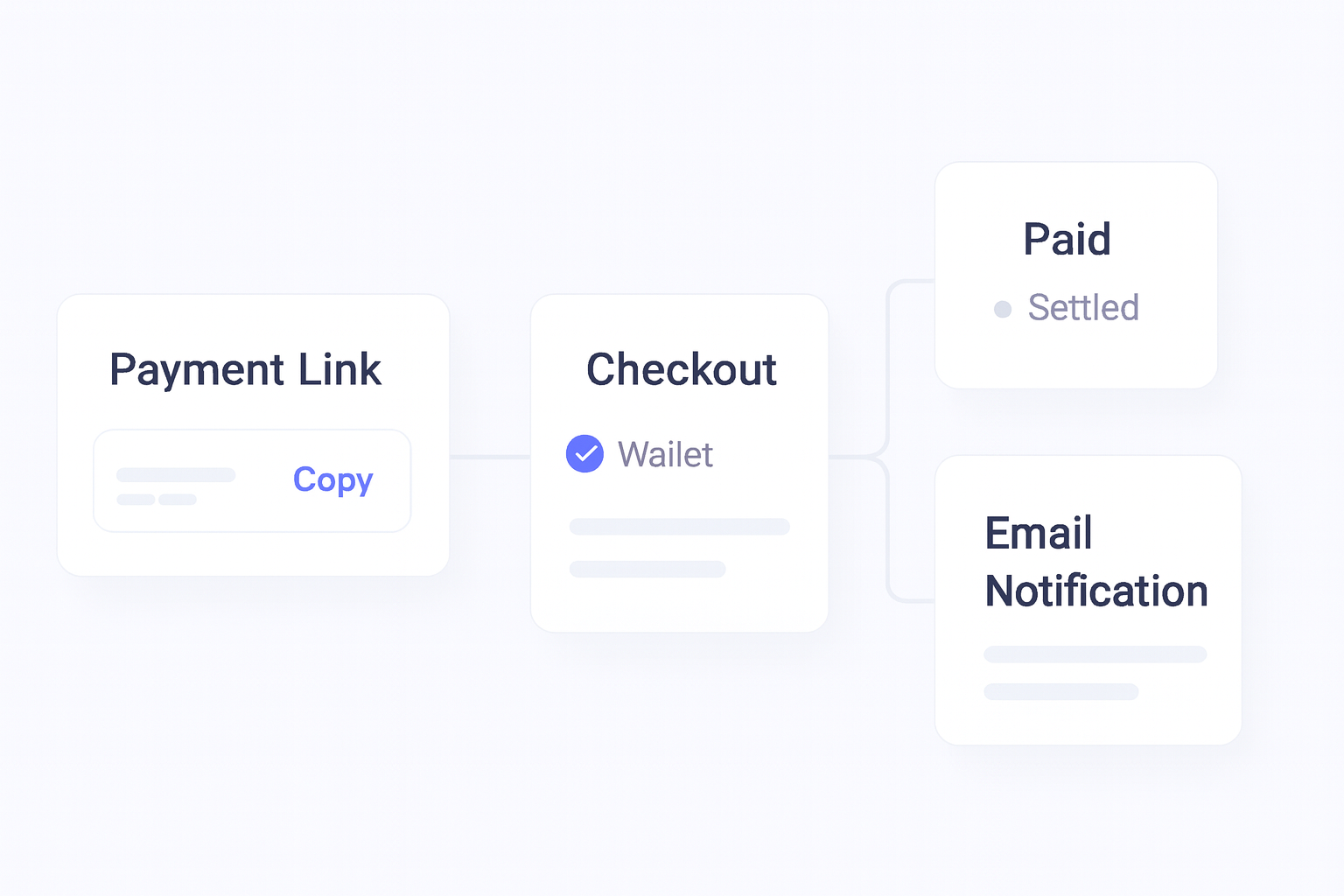
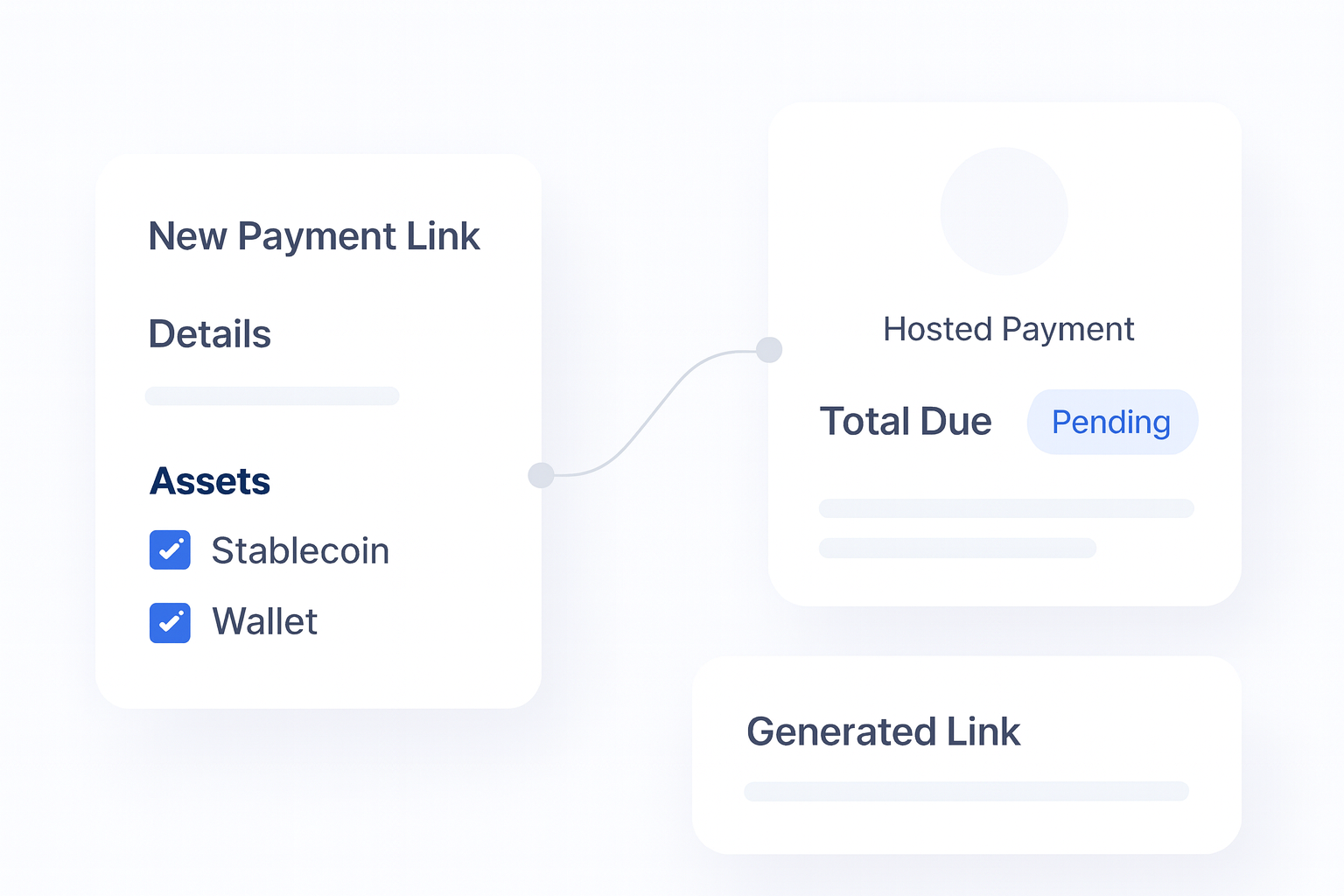
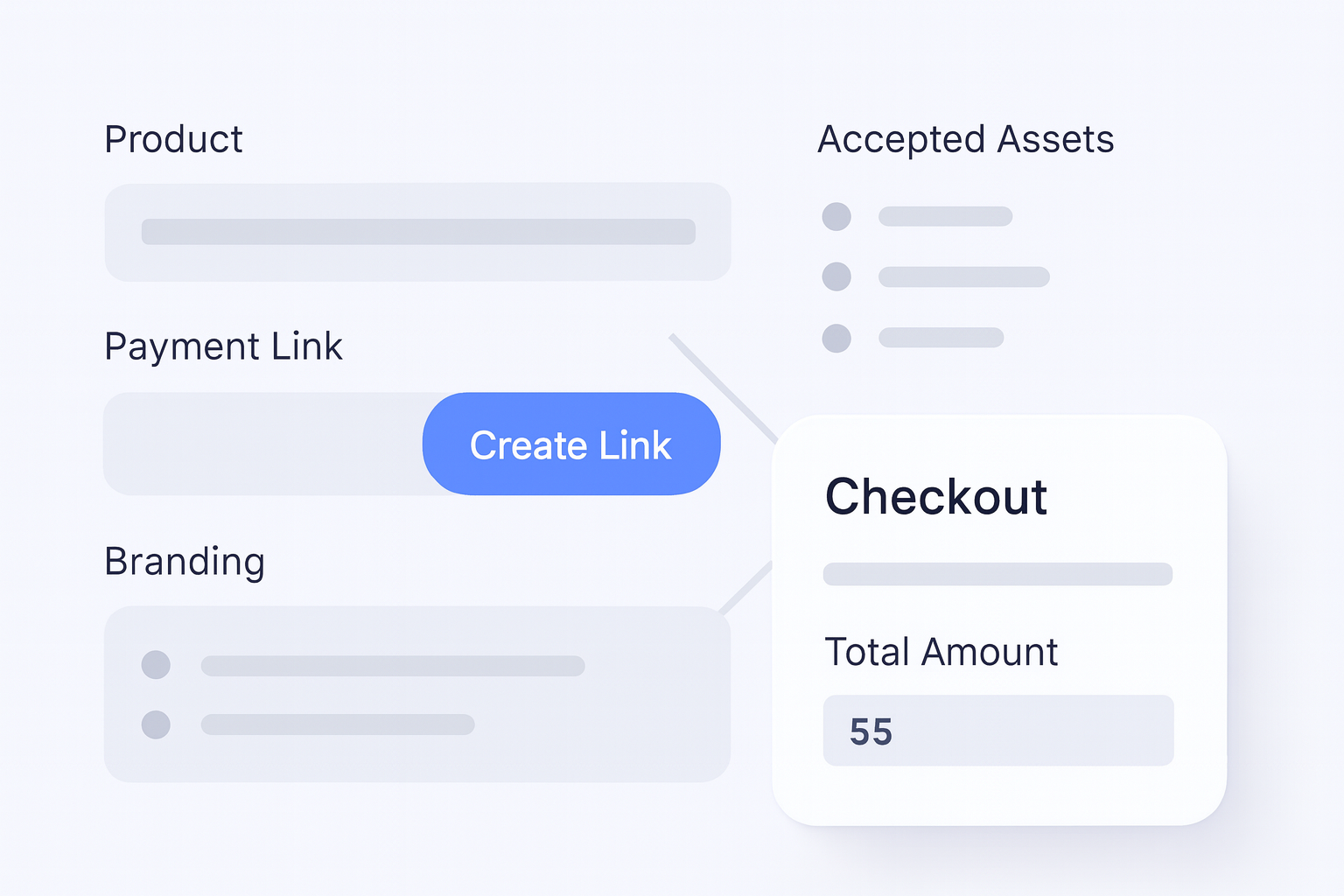
A payment link is a hosted page tied to a specific payment request. In Radom, you create the link in the dashboard with product details, pricing, accepted assets, brand colors, and your logo. You can then share that link wherever your customer is already active.
When the customer pays, you get dashboard and email notifications. From there, you can settle or withdraw funds from Radom based on your workflow.
How to set up a crypto payment link
- Create a new payment link in the Radom dashboard.
- Add the product name, amount, and any other payment details you need.
- Choose the assets you want to accept.
- Apply brand colors and logo so the page looks consistent with your business.
- Publish the link and share it by email, chat, QR code, invoice, or website button.
- Monitor payment status in the dashboard and act on notifications when the payment arrives.
Where Radom removes work
Radom removes the parts of payment collection that usually slow teams down. You do not need to build a payment page from scratch, maintain separate tools for every request, or manually track whether a customer has paid.
Instead, you get a hosted payment page, a reusable link, and notifications tied to the payment event. That makes payment collection easier for small teams, and it also gives operations teams a cleaner process for reconciliation and follow-up.
When payment links are the better choice
Payment links are a strong fit when the payment flow is simple and you want speed over custom UI. They are useful for:
- One-off sales and service payments
- Invoice collection
- Lightweight checkout flows
- Chat-based or email-based sales
- QR code payments at events or in person
- Teams that want to test crypto acceptance before building a larger integration
If you need a more structured hosted flow for a website or app, use crypto checkout. If you are building a larger acceptance stack, review crypto payments and the pricing page before you commit to a workflow.
Why operators use links instead of a custom build
For many teams, the main advantage is speed. A payment link lets you collect funds without waiting on engineering cycles, design work, or a complex integration plan. It also gives finance and operations teams a clearer process for tracking incoming payments, since the payment is tied to a specific request.
That matters when you need to keep sales moving, reduce manual follow-up, and avoid introducing another disconnected workflow into reconciliation.
What to review before you launch
Before you share a payment link publicly, confirm the payment amount, accepted assets, branding, and the internal process for handling paid and unpaid requests. If your team expects higher volume, custom routing, or more advanced payout and settlement workflows, contact sales to confirm the best setup.
For technical teams, the Radom documentation is the right next step if you want to understand how the products fit into a broader integration.
Frequently asked questions
Can I use crypto payment links without coding?+
Yes. Radom Payment Links are designed as a no-code way to accept crypto payments through a hosted payment page.
Where can I share a payment link?+
You can share it by email, chat, social media, QR code, invoice, or a website button.
Can I brand the payment page?+
Yes. Radom lets you create a branded payment page with product details, pricing, accepted assets, brand colors, and your logo.
What happens after a customer pays?+
You receive dashboard and email notifications, then you can settle or withdraw funds from Radom.
Is a payment link the same as checkout?+
No. Payment links are best for lightweight, shareable payment requests. Hosted checkout is better when you want a fuller payment flow on your site or app.
Next step
If you need a fast way to collect crypto payments, start with a hosted payment link. If you want a broader setup for acceptance, billing, or settlement, compare the full product set on crypto payments and review pricing before you choose your workflow.